
The student knows where to continue
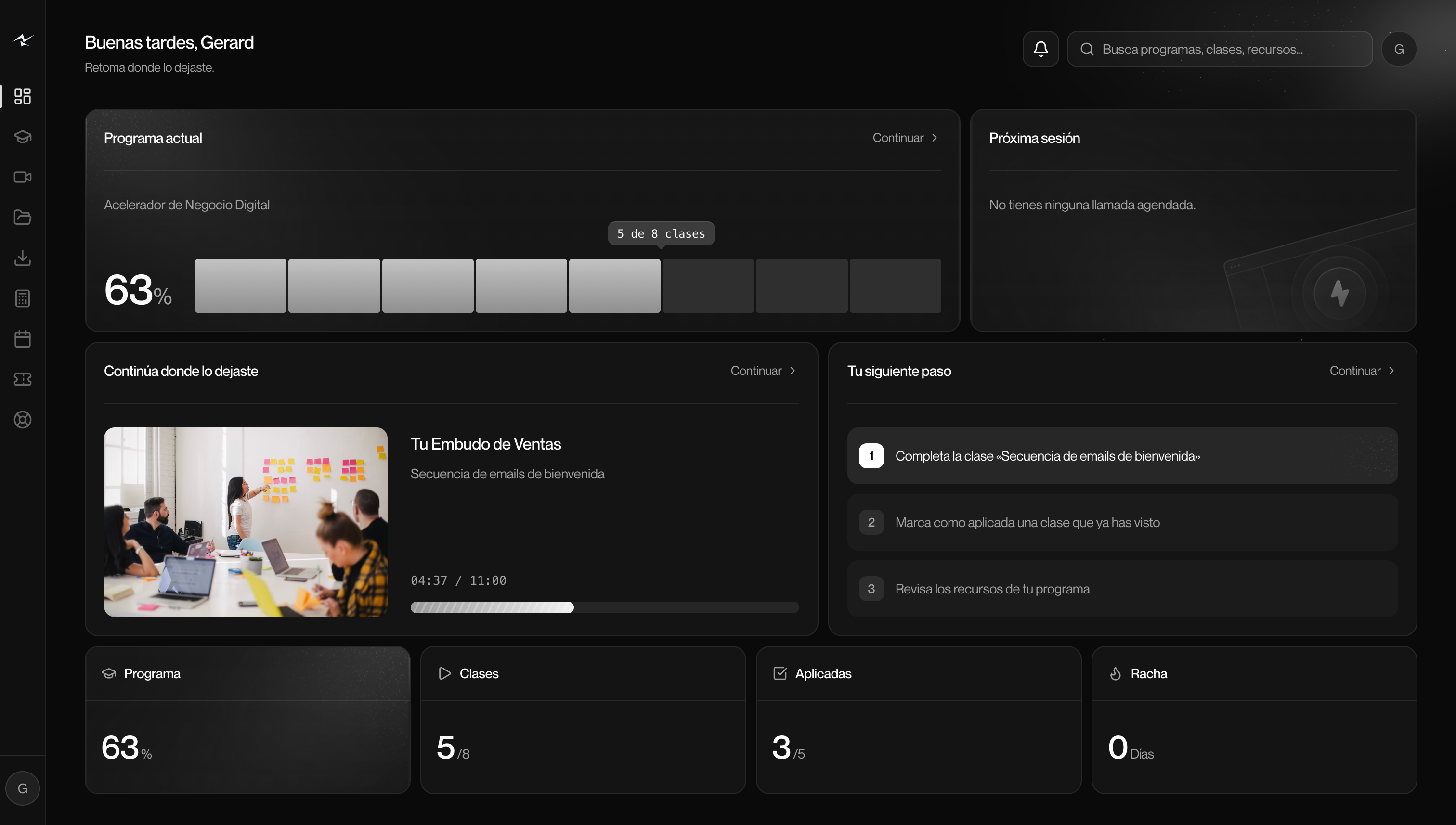
The panel shows the current program, the progress and the class that was pending. Resources and upcoming sessions complete the context without having to search through multiple channels.

 StripeProducts, payments and subscriptions.
 Google CalendarCalls and calendar connected.
 Meta AdsCheck campaign performance.
 Calendly and Cal.comReservations associated with each contact. Security and privacy
Create your programs with modules and lessons and give each student a portal with their training, their calls, their resources and their support.
Visual representation of Student Panel.
The student panel brings together progress, current lesson and next step.
Welcome email sequence
Resource for this class · PDF
The panel shows the current program, the progress and the class that was pending. Resources and upcoming sessions complete the context without having to search through multiple channels.
Seeing a class and applying it are different signs. The organization of the program helps to propose the next step, keeping access linked to what corresponds to each student.
Modules and lessons with a clear structure.
A place to continue, consult and move forward.
Distinguish what is seen from what is put into practice.
After payment, the client needs to know where to start, where to find resources, and how to continue. The portal brings together training, progress and access to support under your brand.
Explore the portalStructure modules and lessons with text, external video and downloadable files. Review content before publishing.
Associate the registration with the corresponding program. The student finds their courses, resources and continuation point.
Consult progress and distinguish lessons seen from actions implemented. The portal preserves the point of the video and shows the pending route.
Connect your tools, coordinate your team and advance your business from one place.